
Resource for the CardExchange & CardEze card production software including installation files, evaluation installation files, supporting documents and instructional media
All installation downloads below will install as a 30 day evaluation unless licensed.
| CardExchange Installation | Compatible O/S |
|---|---|
| CardExchange Producer v10 v10.5.0.11 | Windows : 8 | 10 | 11 Windows Server: 2012* | 2016* | 2019* | 2022* *Compatibility requires Network License |
| CardExchange Producer v9.5.8.69 | Windows : Vista | 7 | 8 | 10 Windows Server: 2008*|2012* *Compatibility requires SBS license |
| CardExchange v9.0.39 | Windows : XP | Vista | 7 | 8 |
| CardExchange Producer v 8.1.6.0 | Windows : XP | Vista | 7 | 8 | 10 Windows Server: 2003 |2008|2012* *Compatibility requires SBS license |
| CardExchange Producer v7.2.6.0 | Windows : XP | Vista | 7 Windows Server: 2003|2008|2012* *Compatibility requires SBS license |
| CardExchange v6.5.9.1 | Windows : Vista | 7 Windows Server: 2003|2008|2012* *Compatibility requires SBS license |
| CardExchange v5 or earlier Email [email protected] or call 1300 651 277 for further assistance |
Windows : XP Windows Server: 2003* *Compatibility requires SBS license |
| Recommended Specifications for CardExchange v10 | Recommended Specifications for CardExchange v9.0 and earlier |
|---|---|
|
|
| CardExchange Installation | Compatible O/S |
|---|---|
| CloudSuite Press v1.0.4.5 | Windows: 8 | 10 | 11 Windows Server: 2012 | 2016 | 2019 | 2022 |
| SBS Installation Files | Download |
|---|---|
| SBS Tools & License Manager | License Manager v10.0.100 |
| Dongle Driver *For use with CardExchange USB License Dongle | Sentinel Dongle Driver v7.6.0 |
| 10- MachineID Exchange Utility (Default – MAC based) | MachineID Utility v2 |
| 4- MachineID Exchange Utility (Alternative – HDD based) | MachineID Utility v2 |
| Prerequisite Files | Link |
|---|---|
| Microsoft .NET Framework v4.0 (Needed for v7 designer) | Download |
| Microsoft .NET Framework v4.8 | Download |
| Microsoft Access Database Engine 2016 (32-bit) | Access Database Engine 32 bit v |
| Microsoft Webview2 Runtime | Download |
| ORACLE ODAC 10.2 (Needed if using Oracle Database) | Download |
| DirectShow Codec (When using PhotoExchange) | Download |
| Windows Imaging Components | Download |
| Printer list for ID1000/Pronto 100 | PrinterList v |
ExchangeIT products are built with the latest technology available. We follow the latest Microsoft technology and therefore we are always compatible, but it also means that we don’t support what Microsoft doesn’t support. In addition, our CardExchange® products are built with the latest technologies of Microsoft and run under the 3.5 Framework. SP1 Microsoft is not supporting the 3.5 Framework for lower operating systems then Windows XP, therefore CardExchange® cannot run on Windows 2000 or lower operating systems. Take a look at the specifications and make sure your computer is suitable for running our products.
| Manual | Download |
|---|---|
| CardExchange v10 Online User Manual | CardExchange v9 User Manual |
| CardExchange v10 Online SBS Installation Guide | CardExchange v9 SBS Installation Guide |
| How To: | Start Video |
|---|---|
| Watch: CardExchange : How to activate your license | How to activate your license 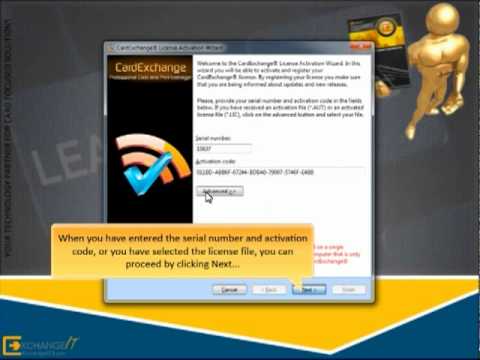  |
| Introduction to CardExchange® Producer | Introduction to CardExchange® Producer  |
More to Come.